Ryusei Teaser
Presenting tomorrow at Round 4, Building Virtual Worlds. Streaming will be available in the afternoon (UTC -05:00)!!!


[How-to-Fix] Working with InDesign to export ePub

I started working on an eBook with InDesign a few weeks back. InDesign has an option to export your document to an ePub file which can be used for eBook readers. If you don't have a reader to test it on, you can download the Adobe Digital Editions on your computer for free! Or even better... Use Calibre to manage your ebooks or test your epubs on virtual devices!
Anyway, exporting to ePub is quite easy, but you need to pay attention to how you format your documents. For example, page layouts are different, page breaks and returns aren't included, fonts paragraph/character styles, etc. I found a very nice guide from CreativePro, which explains these problems and gives you solutions on how to fix it :D
Indesign ePub Guide Part 1 | Part 2
The most annoying thing however, is that InDesign (CS5.5) doesn't export your table styles. The guide suggests manually editing the CSS file after exporting, which is a pain in the ass. To do this, export your document to ePub. Rename your file from .epub to .zip. Open the file and locate the CSS file.
It's a drag... but it's the only solution that I could find on the web until Adobe fixes this in the new CS version.
[How-to-Fix] Processing & JMyron = BSOD

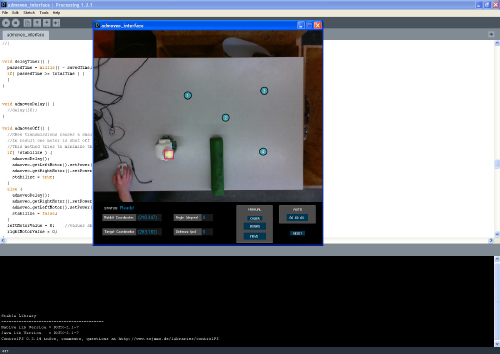
Back during my graduation project at the TU/e, I worked on building a system to create smoother robot motion through an operator-based interface using computer vision and Processing. The setup was to track the robot from above with a camera and have the motion controlled by having the operator selecting various points on the computer to create a motion path.

To realize this, I used Processing and the JMyron Library to track the robot with color recognition. BUT, there was a huge problem when I tried to get JMyron to work... Every time when I tried to run the code, my computer would get a blue screen and crash. I tried switching webcams, but still not luck. Google didn't help either, as I wasn't able to find a reason/solution for the blue screen to appear.
There was a forum a post pointing out that Logitech webcams might be the cause for the problem. Guess which brand of webcams I had...? So, I went to the store got a Microsoft Lifecam Cinema (720p) and everything worked perfectly! No more blue screen!! Also the camera is pretty awesome as well!
tl;dr, don't use Logitech cams if you're planning to use Processing and JMyron :)

Visual Story Class

Visual Story is a storytelling/film class part of my boot camp semester at the Entertainment Technology Center, Carnegie Mellon University. The course combines the traditional notions of a film course — how to use the visual language from film — with the emerging notions of how interactivity changes the way we communicate with an audience.
On my team were Albert Gea, Dicky Lou, Daniel Hausmann and Eric Zhang. And for our first assignment, we had to create a short promo video of our team and team members. Below you can find the deliverable requirements and the final video for the assignment.
Deliverables:
1. Each team will create a 10 second animated logo for their respective Visual Story teams.
2. In addition, each team will shoot a 60 second promotional short on your team. The objective is to show off your team's talent in a creative way. Try to follow a storyline through time and space that depicts your team in the most creative, crazy, or fun way possible. Use all elements of visual grammar and work at building in elements from the first few lectures and workshops.
For the 2nd assignment, we had to recreate a scene from a movie. The choices were "3 Iron", "Tenacious D", "American Psycho", "Stranger than Fiction" and "...". We picked Tenacious D
Recreating a scene shot for shot
Choose one of the three scenes screened in class and break them down into these three steps (Due with Rough Cut):
1. Text – Dialogue and shot list
2. Images – Storyboard with matching dialogue
3. Schematics – Over head floor plan with numbered camera set-ups
[How-to-Fix] Shorten Google+ URL
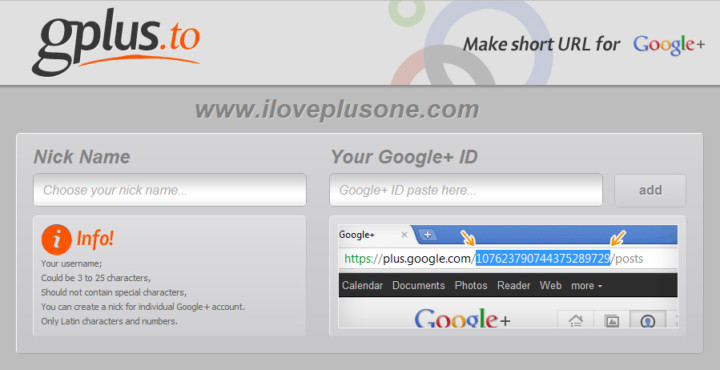
Google+ doesn't have the option (yet), like Facebook, to shorten and customize the URL of your profile.
A way to create one is through a third party site Gplus.to. Simply add your desired name and your Google+ ID and voila! Don't forget to add me http://gplus.to/ElwinLee :D
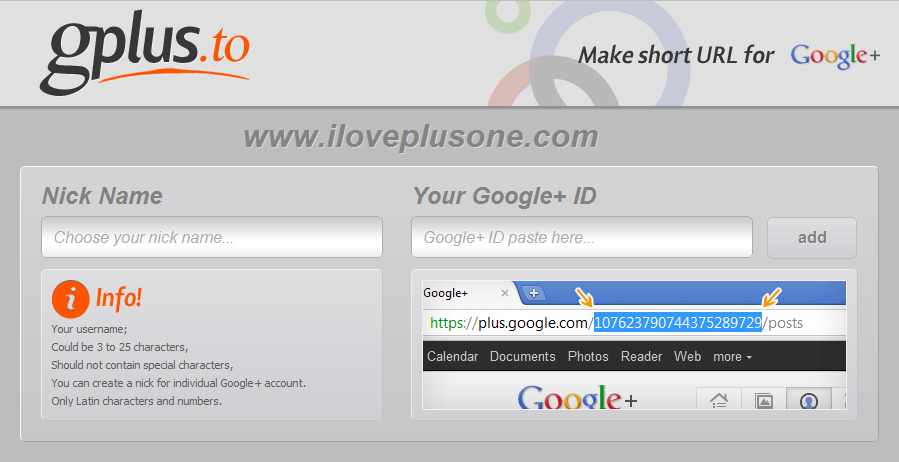
Source: http://itpromate.com/2011/07/how-to-shorten-your-google-profile-url/