
[FIX] Unity3D Cloud Build Missing Sprites
I was making a build the other day using Cloud Build, but some of the sprites were missing for some reason. Everything looked fine on a local build though.
Turns out I had the sprites in a folder called "Library" in my Unity Project and Cloud Build ignores or strips out content from that folder. The sprites showed up again in the cloud build after renaming the folder.

[Fix] Google Play - App 0 Supported Devices
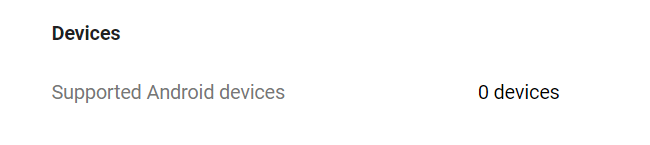
I had this issue the other day saying my app upload to the Google Play Store has 0 supported devices. After hours of checking and testing everything, the issue was found in the AndroidManifest.xml.
<uses-feature android:name="android.hardware.autofocus" />
Which should be:
<uses-feature android:name="android.hardware.camera.autofocus" />
The camera autofocus is a feature added by Vuforia in Unity3D, and it probably never updated the manifest file after I've updated Vuforia. The "0 Supported Devices" was gone and app was showing supported devices again the developer's console after fixing that line in the manifest file. If this fix didn't work then it might be a good idea to check the other <uses-feature> and https://developer.android.com/guide/topics/manifest/uses-feature-element.
[How] Bypass Unity3D's "Hold on" Import on Launch
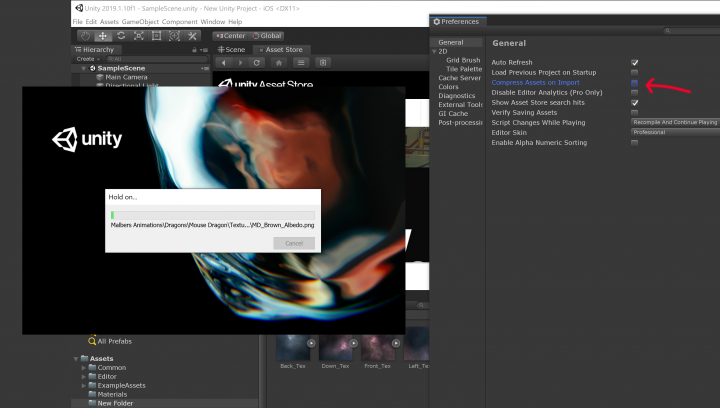
Sometimes it takes forever for Unity to launch. Especially when you have a lot or large assets. For some of our projects it could take hours for Unity to actually launch the editor. It's super annoying and you can't do anything else in the meantime. But there is a way to skip all that in the newer versions of Unity.
If you're having this problem, start a new project with a particular Unity version so you can actually get into the editor. Then go to Edit > Preferences > General and UNCHECK "Compress Assets on Import". Now close the project and open your actual project and it should launch way faster!

[FIX] Unity3D - Moving Files Failed Error When Making Build
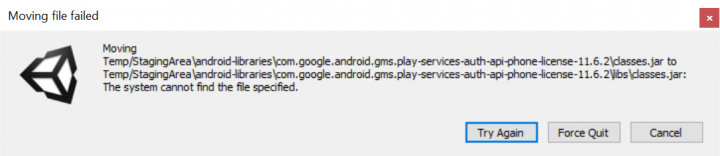
I've been playing around with some Unity3D plugins lately. Trying out different ones to see what works and what doesn't for my Infinite Meow [icon name="external-link" class="" unprefixed_class=""] game. At some point, I was trying out the Google Play Game Services [icon name="external-link" class="" unprefixed_class=""] plugin and got this error message when I was trying to make an Android build which prevented me from finishing the build.Read more
[FIX] Unity3D - Android - Unable to List Target Platforms
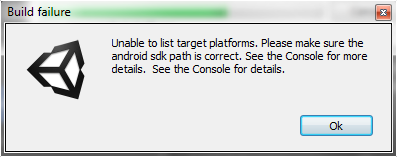
A few months ago I was trying to create an Android build for one of my Unity3D projects which used to be primarily for iOS. When trying to create a build, Unity showed this error:
Error building Player: CommandInvokationFailure: Unable to list target platforms. Please make sure the android sdk path is correct.
[FIX] Unity3D - Android Keyboard White Text on White Background
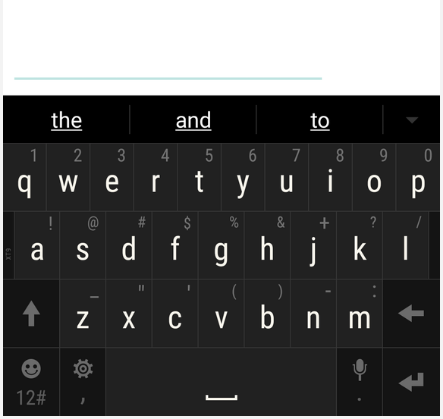
The Android Keyboard text appears to be white on a white background for some reason (at least in Unity 5.5.1f1 and below) when testing on an Android device. So there's no way for the user to tell what the current input text is unless they highlight it. Not sure if it's an actual bug on Unity's end or if there's a styling conflict caused by multiple Android manifests. Luckily, there's a quick way to fix this.Read more
[FIX] Unity3D - Allow Animator Triggering Same State
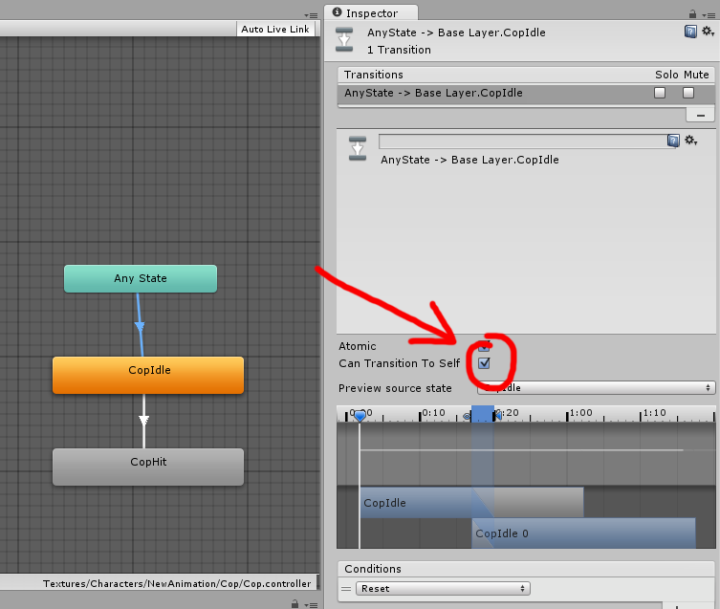
For a recent project, I was trying to trigger the same state from the Any State in the Mecanim Animator in Unity. When doing so, the transition did trigger, but it failed to flag the trigger back to "false". This was causing some animation bugs, since the game was setup so the user can replay that level. Upon replay, the animation would get triggered twice or since the trigger was still flagged "true" before it could reset back to the original state. To fix this problem, there's a check box called "Can Transition To Self" in the inspector which you need to turn on (it's unchecked by default). Check it and you're done!
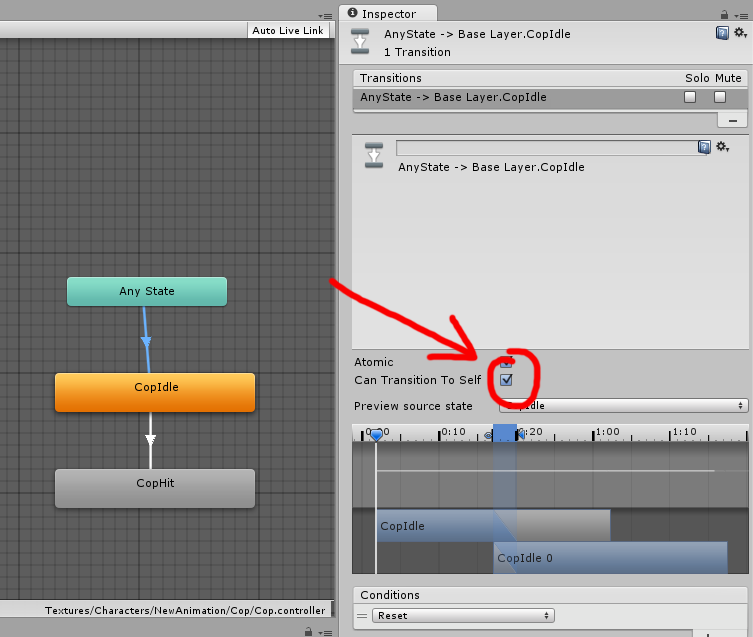
Source: http://answers.unity3d.com/questions/877897/trigger-the-same-state-again.html
[FIX] AoE II HD Won't Start
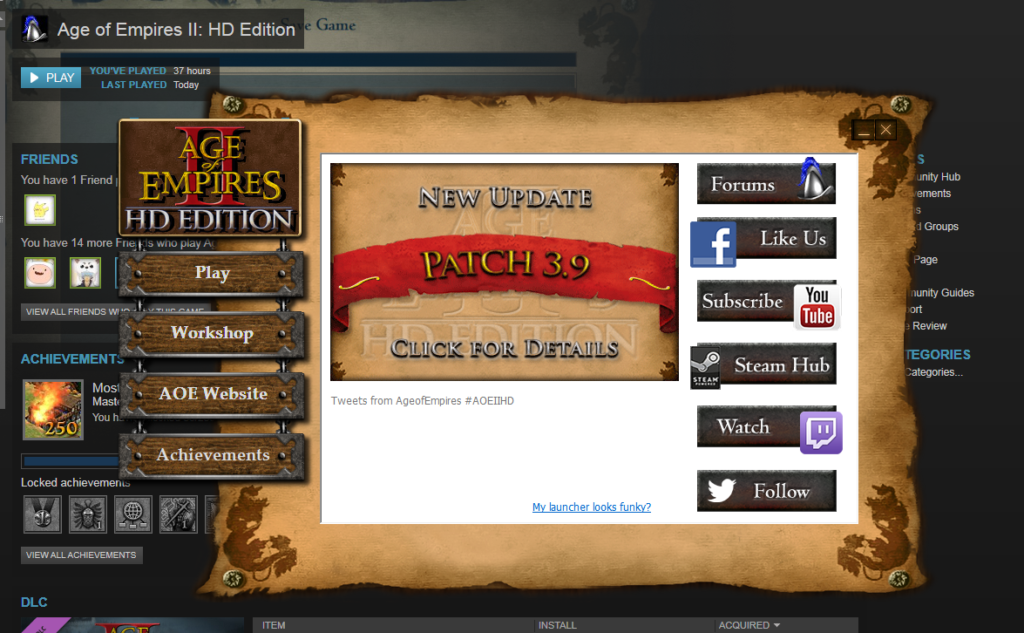
Age of Empires 2 HD won't launch through Steam? Stuck in the infinite launcher-loop? Try closing Steam and delete the "appcache" folder in your Steam folder. Restart Steam and play AoE2!
Source: http://www.reddit.com/r/Steam/comments/1cag4h/aoe_ii_hd_wont_start/
[FIX] Unity3D - 4.5 Hierarchy Sorting By Name
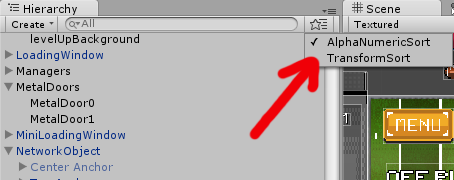
Ever since the release of Unity3D 4.5 they changed the sorting of the GameObjects in the Hierarchy window to be based on the based on transform order instead of object's name. Although I do see some some causes where sorting it by transform order might be useful, but generally I would prefer to find my GameObjects based on the name. In Unity3D 4.5, there's no option anymore to sort it by name by default. You can use the search at the top of the hierarchy window, but it's a pain in the ass in my opinion.
There's actually a way to re-enable the alphanumerical sorting again. Simply download this little script (Unity3D-AlphaNumericSort) and place it in the Assets>Editor folder and you're done! An option will appear in the hierarchy window where you can switch between sorting it by transform order or by name.
Source: http://forum.unity3d.com/threads/unity-4-5-new-hierarchy-window-sorting.248298/
[HOW] WordPress: Re-enable Comment Form After Using Disable Comments Plugin
I've been using the Disable Comments WordPress plugin for some of my websites. It works great in disabling and hiding the comment sections in posts and pages. However, I decided to re-enable the comments and the comment form didn't show up anymore. I tried disabling and deleting the plugin and made sure everything was on in the Discussion section was enabled, but without nothing worked. Took me ages until I found a solution on the plugin support forum.
To fix the comment form in the posts and pages:
- From the Posts Screen, check the boxes next to all the posts you want to edit, select Bulk Actions -> Edit, and click Apply.
- In the bulk edit area that appears, check the box for comment status and click Update.