
[HOW] Find Old Firebase SDK Versions for Unity3D
The SDK link on the Getting Started with Firebase page automatically downloads the latest Firebase SDK. Quite annoying if you're looking for an older version if you want to re-import an older SDK for your project for example. Luckily there's a way to download the older versions. Just enter the version number that you want in this link https://dl.google.com/firebase/sdk/unity/firebase_unity_sdk_{Version number}.zip.
For example, if you're looking for version 6.0.0, the download link would be https://dl.google.com/firebase/sdk/unity/firebase_unity_sdk_6.0.0.zip. That's it!
Source: https://stackoverflow.com/questions/49921164/old-versions-of-firebase-for-unity-firebase-sdk-4-5-0

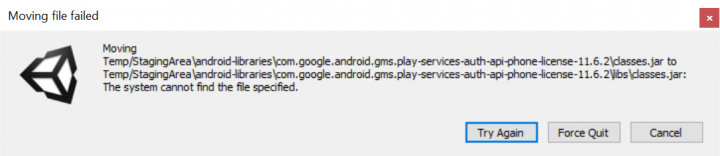
[FIX] Unity3D - Moving Files Failed Error When Making Build
I've been playing around with some Unity3D plugins lately. Trying out different ones to see what works and what doesn't for my Infinite Meow [icon name="external-link" class="" unprefixed_class=""] game. At some point, I was trying out the Google Play Game Services [icon name="external-link" class="" unprefixed_class=""] plugin and got this error message when I was trying to make an Android build which prevented me from finishing the build.Read more

[Unity3D] Copy to Clipboard Script for iOS & Android
I was looking for a way to copy a piece of text to the clipboard on iOS and Android devices the other day. There are ways to do it for Windows and Mac computers, but getting that to work for mobile devices seemed a bit trickier. There were some solutions on the Unity3D Community forums, but they were always either for iOS OR Android and required additional extra steps to make it actually work. Luckily, I found this handy script by Wataru Sanuki which handles cross platform copy to clipboard in a single class.Read more

Copywriting Tips & Design Process
I've been working on some designs recently, which involves some copywriting. With no real prior experience in writing copy, it gets kind of tricky sometimes, especially when you have to start with a clean slate. While doing some reading and research on how to write copy, I came across these articles which provide tips and explanations on how copywriting fits in the design process. Writing copy should be an integral part throughout the entire design process, and doesn't just belong at the beginning, middle, or end. The Fast Company Design articles below, written by John Zeratsky, take lessons from Google Venture and summarize them into must-read list and how all those things fit inside the (interface) design process. There's also a cool article about how Google Venture makes design decisions with dots... lots of sticky dots! The Dead Simple Way Google Ventures Unlocks Great Ideas.
From Google Ventures: 5 Rules For Writing Great Interface Copy
- CLARITY IS KING
- PERSONALITY DOESN'T MATTER AS MUCH AS YOU THINK
- JUST TELL ME
- BY THE WAY, PEOPLE DO READ
- WRITING IS PART OF THE DESIGN PROCESS
How To Master Copywriting
- SKETCH: NOUNS, VERBS, AND HEADLINES
- CRITIQUE: DECIDE WHAT TO PROTOTYPE
- PROTOTYPE: DETAILED, REALISTIC TEXT
- USER RESEARCH: LISTEN FOR WHAT WORKS
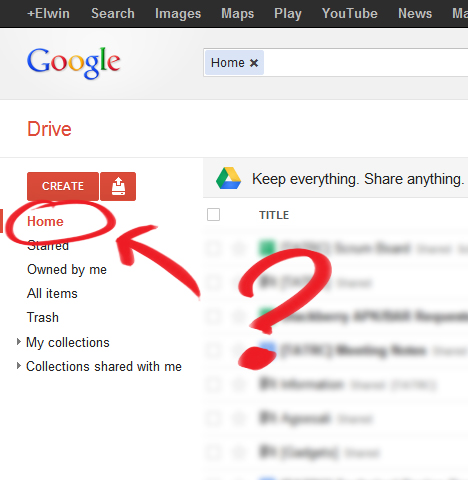
[HOW] Home View in Google Drive
Wondering where the Home view went after switching from Google Docs to Google Drive? It's actually not your default view anymore in Google Drive, but instead it shows up your collections on the main page.
For me, the most useful thing of using Google Docs was that I was able to see all the documents sorted by modification date. Now you have to navigate through your collections to see which of the documents have changed.
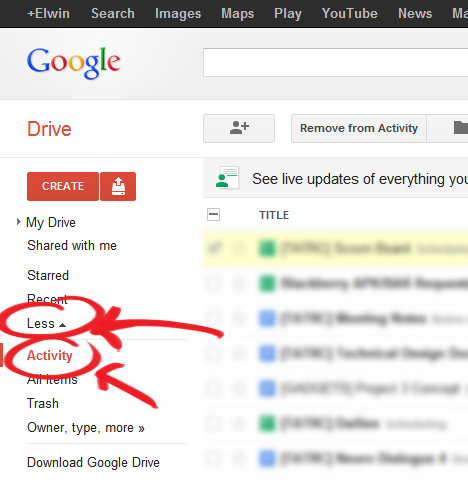
Luckily, the Home view is still present in Google Drive, but it's hidden in the left menu. It's actually called the Activity view and you can find it by expanding the "More" tab.
You can also navigate to the Activity view directly https://drive.google.com/#activity

[HOW] HTML/CSS: Prevent Scrollbar Jump
Firefox and Chrome doesn't show a scrollbar on the right if the content of a page isn't longer than the window. But when the content becomes longer, the vertical scrollbar appears and causes the layout to shift. This "jump" can be quite annoying as the whole layout moves to the left. To fix this:
html {
  overflow-y:scroll;
}
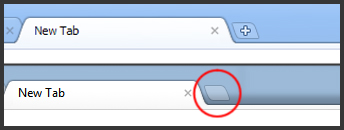
Chrome's New Tab Button UI
Have you noticed the small change in the Chrome UI? The "+" is gone in the "New Tab"-button! It's been bugging the shit out of me since I saw it a few days ago. Something doesn't feel right without the "+" :(
[How-to-Fix] Shorten Google+ URL
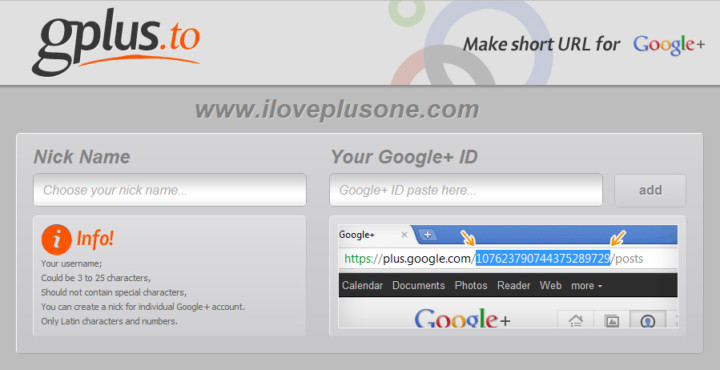
Google+ doesn't have the option (yet), like Facebook, to shorten and customize the URL of your profile.
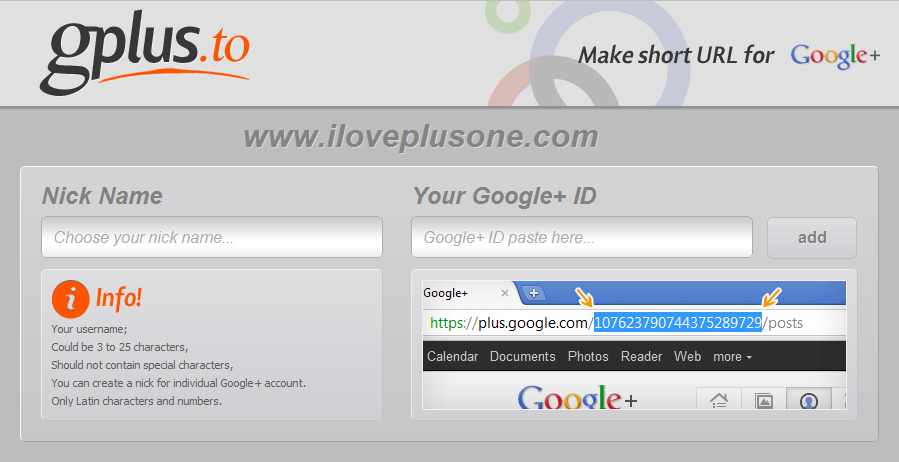
A way to create one is through a third party site Gplus.to. Simply add your desired name and your Google+ ID and voila! Don't forget to add me http://gplus.to/ElwinLee :D
Source: http://itpromate.com/2011/07/how-to-shorten-your-google-profile-url/
[How-to-Fix] Chrome Adblock & Youtube Auto HD
Great extensions if you're using Google Chrome! :)
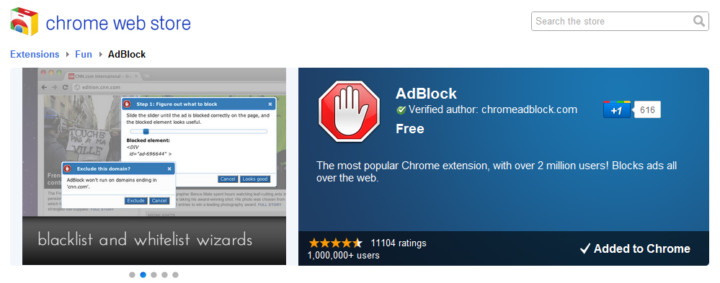
AdBlock

AdBlock for Chrome! Block all advertisements on all web pages, even Facebook and Youtube. Your browser is automatically updated with additions to the filter: just click Install, then visit your favorite website and see the ads disappear!
Auto HD for YouTube

Auto HD! With this extension all youtube video start playing in HD. In addition you can specify if you want the player widened.

[How-to-Fix] Joomla!: Enabling Object, Embed & Iframe
Joomla blacklists <object>, <embed> & <iframe> by default for security reasons and filters out and removes these tags from your articles if you try to add them in your content. The iframe and embed options are useful to integrate e.g. Google Maps and Youtube. There's a solution to disable the filtering by de-selecting certain user groups in joomla as blacklisted for filtering. This didn't work for me though.
Instead, here's a method to get it to work by diving into the PHP file itself. To disable the filtering, edit the filter PHP file and remove the tags from the blacklist.
Path: libraries\joomla\filter\filterinput.php
$tagBlacklist = array ('applet', 'body', 'bgsound', 'base', 'basefont', 'embed', 'frame', 'frameset', 'head', 'html', 'id', 'iframe', 'ilayer', 'layer', 'link', 'meta', 'name', 'object', 'script', 'style', 'title', 'xml');